
Solar Battery Installation: What to Expect (Timeline and Process)

Most people focus on comparing quotes and rebates — which makes sense, that's where the financial decision is made. But understanding the installation process itself helps you ask better questions, set realistic expectations, and avoid surprises when it's time to actually get the thing installed.
Here's what the process looks like from start to switch-on.
Stage 1: Getting and Evaluating Quotes (1–3 Weeks)
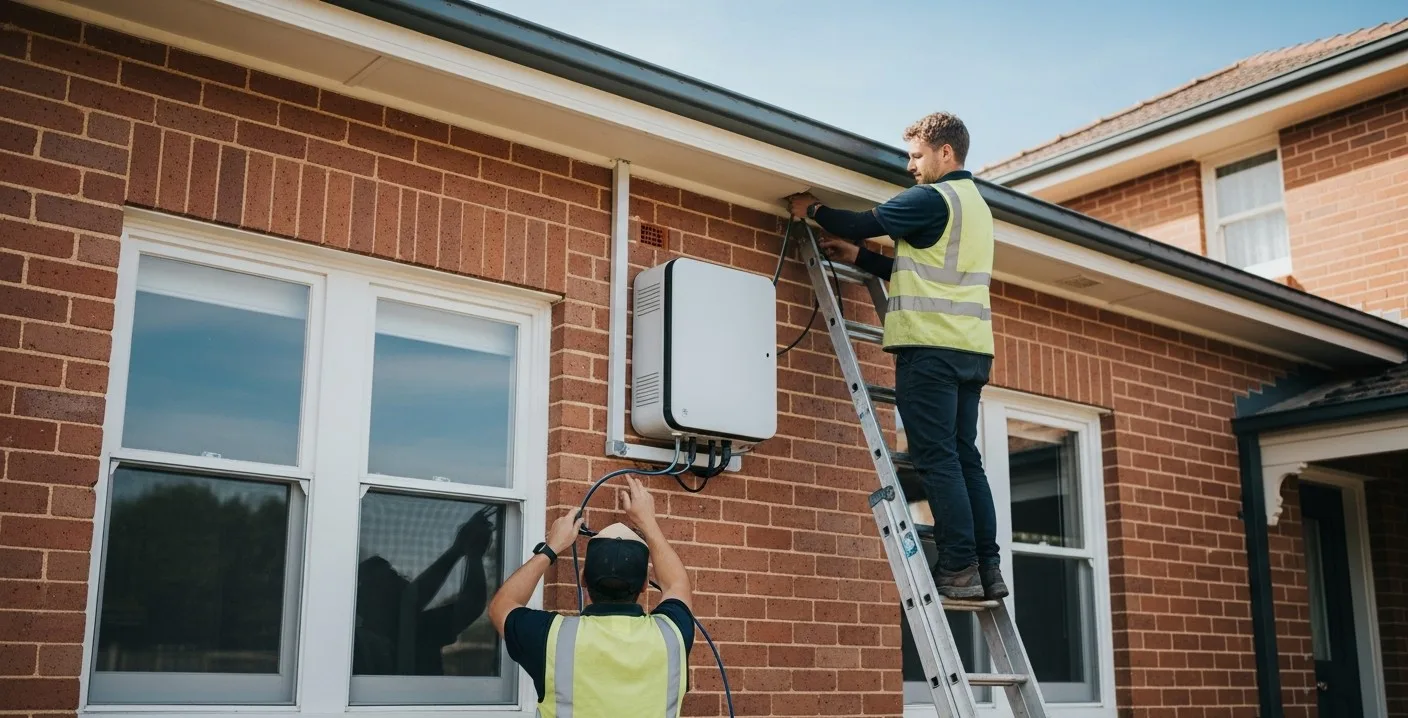
A quality quote process involves more than just a price. Expect reputable installers to:
- Review your electricity bills — ideally 12 months of usage data to properly size the battery and model savings
- Conduct a site assessment — either in-person or via satellite imagery for roof/switchboard assessment
- Confirm inverter compatibility — critical for retrofits; not all batteries work with all existing inverters
- Provide an itemised quote — hardware, labour, metering upgrades, approvals, and rebates should all be visible as separate line items
- Confirm rebate eligibility — SAA accreditation, CEC battery list status, CHBP application process
We recommend getting at least three quotes. Battery pricing varies significantly between installers — up to $2,000–$3,000 for the same hardware, same location.
Stage 2: Site Assessment and DNSP Application (1–4 Weeks)
Once you've selected an installer and signed a contract, the pre-installation work begins:
Site Assessment
Your installer will verify the physical requirements: where the battery will be located (garage wall, external wall, inside a purpose-built enclosure), switchboard capacity and condition, cable runs, and any structural requirements. AS/NZS 5139 governs battery placement — installers must follow these standards.
DNSP Notification or Approval
Your Distributed Network Service Provider (DNSP — Ausgrid, Energex, SA Power Networks, etc.) must be notified about the battery installation, and in some cases, formal approval is required. This is particularly relevant for larger systems or properties with existing solar near export limits.
This approval process is handled by your installer — it's not something you need to manage yourself. However, timelines vary by DNSP and region:
- Standard residential battery additions: 1–3 weeks
- Larger systems or complex grid connections: 4–8 weeks (occasionally longer)
In some network areas, batteries can be installed under a "deemed" approach without explicit DNSP approval — your installer will know the requirements for your area.
Metering Upgrades
If your property doesn't already have a smart meter, you may need one to properly monitor and bill for your battery system. Your installer or retailer coordinates this — it adds a few weeks to the timeline if your current meter needs replacement.
Stage 3: Installation Day
Most residential battery installations take half a day to a full day on-site. Here's the typical sequence:
Morning: Prep and Hardware
- Installers arrive, confirm installation location matches site assessment
- Battery unit(s) are positioned and wall-mounted (or floor-mounted)
- Cable runs completed between battery, inverter, and switchboard
Midday: Electrical Connections
- Battery connected to existing inverter (AC or DC coupling, depending on system design)
- Switchboard work completed — new circuits, protection devices, isolation switches
- Metering connections verified
Afternoon: Commissioning and Testing
- Battery powered up and initial charging tested
- Inverter and battery firmware updated (if required)
- Monitoring app set up — your installer should walk you through the app on your phone
- Backup mode tested (if applicable) — simulates grid disconnection to verify backup function
- Handover documentation provided — warranties, installer certificates, grid connection paperwork
Stage 4: Grid Connection Confirmation (1–2 Weeks After)
After installation, your installer notifies the DNSP that the battery is now live. Some DNSPs conduct a final inspection; others process the notification administratively. Your installer handles this — but it's worth confirming with them that it's been lodged.
Your electricity retailer may also need to be notified, particularly if you're changing billing arrangements related to the battery (e.g., moving to a TOU plan or enrolling in a VPP).
Stage 5: CHBP Claim Processing
If you're claiming the CHBP rebate, your installer lodges the claim with the Clean Energy Regulator (CER) after installation is complete. You've already received the rebate at point of sale — but the installer needs to finalise the claim with CER to complete the administrative process.
You don't need to take any action here, but it's reasonable to ask your installer to confirm the claim was lodged. Keep a copy of your installation paperwork in case CER ever follows up for verification.
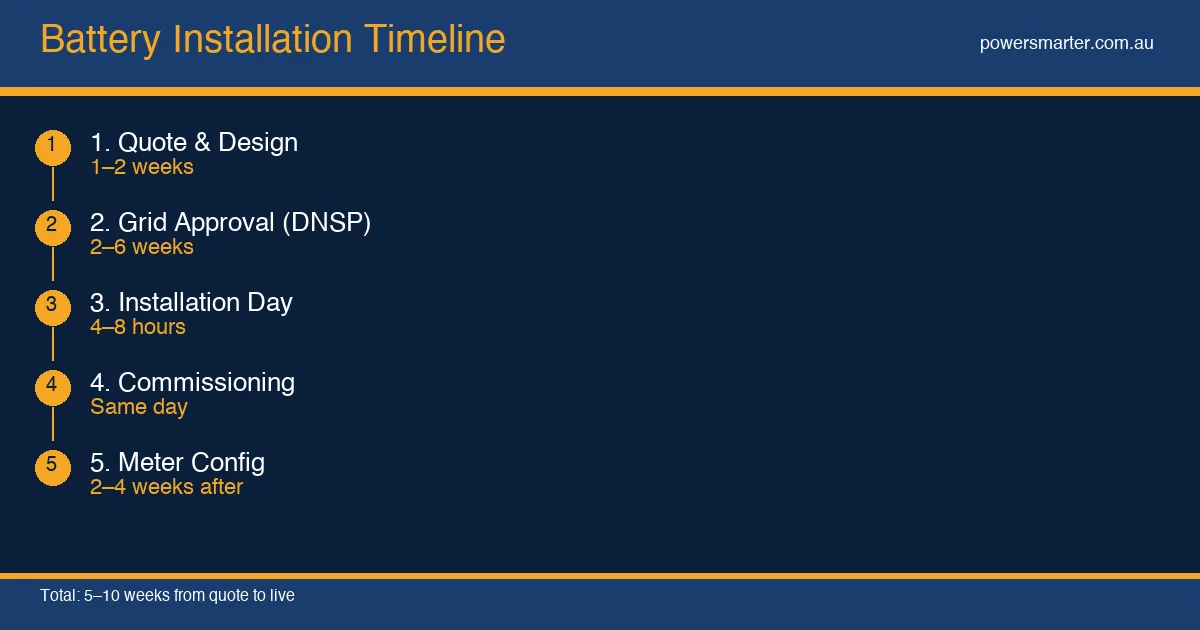
Typical End-to-End Timeline
| Stage | Typical Duration |
|---|---|
| Quote process (3 quotes) | 1–2 weeks |
| Decision, contract signing | 1 week |
| DNSP application/approval | 1–4 weeks |
| Scheduling (installer availability) | 1–4 weeks |
| Installation day | 0.5–1 day |
| Post-installation grid confirmation | 1–2 weeks |
| Total elapsed time | 5–12 weeks from decision |
In peak periods (particularly pre-financial year-end in May/June), installer schedules fill up quickly and lead times can extend. If you want a June installation, get quotes in April.
What to Expect in the First 30 Days
After your battery is live:
- First week: Battery typically operates in a conservative mode while the system learns your usage patterns. Some systems limit initial charge/discharge rates.
- Week 2–4: Full performance mode. You should see the battery charging from solar during the day and discharging in the evening on your monitoring app.
- Monthly bill: Your first bill post-installation should show a significant reduction in grid imports. Compare with the same period last year (not last month — seasonal variation matters).
If your monitoring app isn't showing expected behaviour after 2 weeks, contact your installer. Early commissioning issues are much easier to resolve when flagged quickly.
Comments (0)
No comments yet. Be the first to share your thoughts!